
Installing Ollama
Installing Ollama on Windows, macOS or Linux, downloading the models the workbench uses, and what your computer needs to run them.
Ollama is a free program that runs AI models on your own computer. The desktop workbench uses it for everything a model does: summaries, answers from your papers, claim checks, redrawing figures, writing code, and searching by meaning. Nothing leaves your computer, there is no key or account, and once a model is downloaded it works offline.
Ollama is optional. Without it, the workbench still keeps, reads and searches your papers by their words, and you can use a hosted model with your own key instead (see Models and keys). The cloud workbench cannot use Ollama.
1. Install Ollama
Download it from ollama.com/download.
| System | How |
|---|---|
| Windows | Run OllamaSetup.exe. It installs for your account, runs in the background with an icon in the notification area, and starts with Windows. Or in PowerShell: winget install Ollama.Ollama |
| macOS | Open the download, move Ollama to Applications, and open it once. It runs from the menu bar and starts when you log in. Or with Homebrew: brew install ollama |
| Linux | In a terminal: curl -fsSL https://ollama.com/install.sh \| sh. It installs Ollama as a service that starts with the computer. |
To check that it is running, open http://127.0.0.1:11434 in a browser. It should say Ollama is running.
2. Download the models
Open a terminal (PowerShell on Windows, Terminal on a Mac) and run one command per model. Start with the first two, about 5 GB together:
| Model | Size | What the workbench uses it for | Command |
|---|---|---|---|
| nomic-embed-text | about 270 MB | Searching by meaning, for papers in English (the default) | ollama pull nomic-embed-text |
| llama3.1 | about 4.9 GB | The model that writes: summaries, answers, claim checks (the default) | ollama pull llama3.1 |
| bge-m3 | about 1.2 GB | Searching by meaning, for papers in several languages | ollama pull bge-m3 |
| llava | about 4.7 GB | Reading pictures, to redraw a figure as a diagram or table | ollama pull llava |
| qwen2.5-coder | about 4.7 GB | Writing code | ollama pull qwen2.5-coder |
| qwen3-embedding:0.6b | about 640 MB | Searching code by meaning | ollama pull qwen3-embedding:0.6b |
You don't need to remember these. When a model the workbench wants is missing, Settings shows its command with a Copy button.
ollama list shows the models you have, and ollama rm <name> removes one.
3. Choose them in the workbench
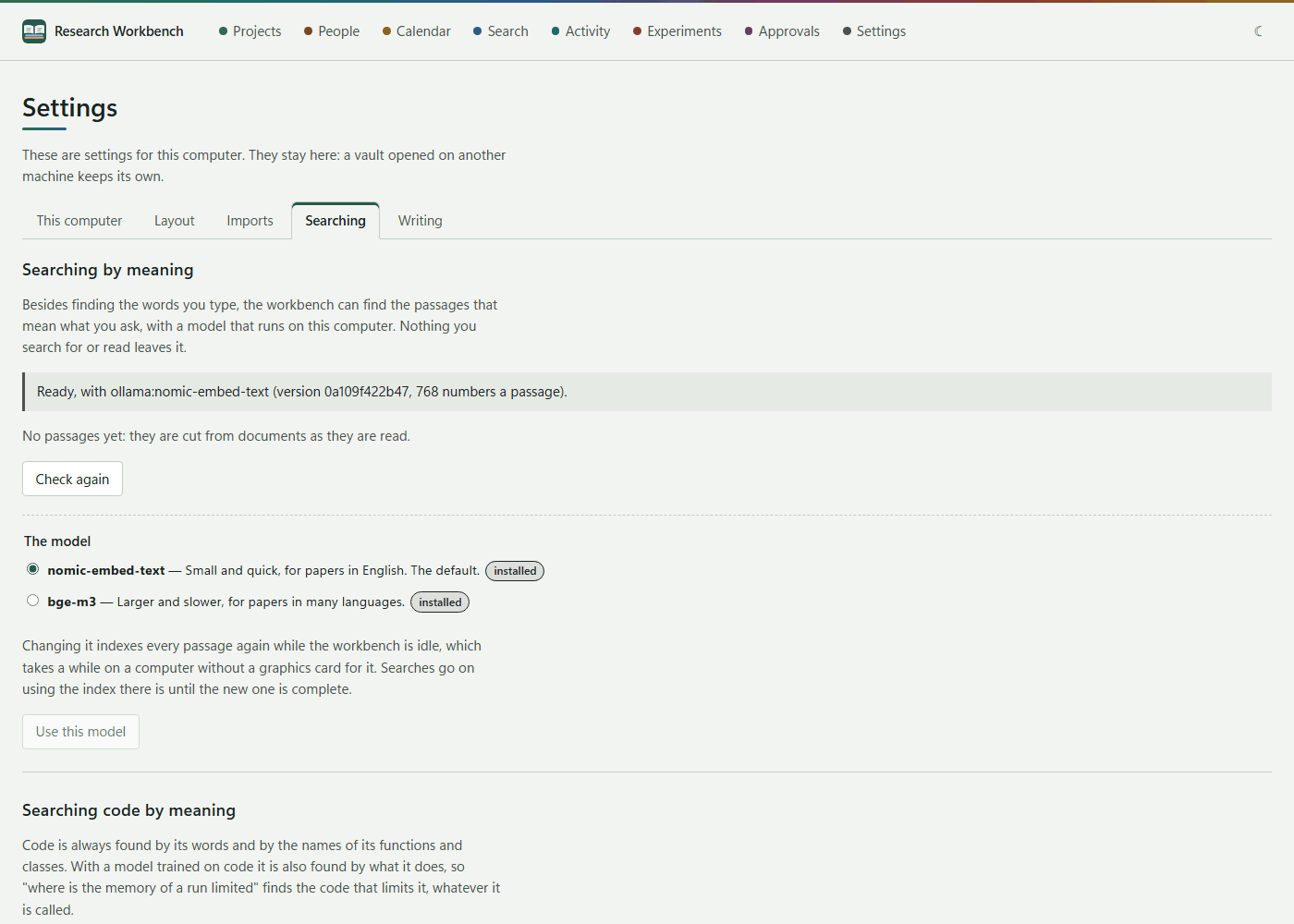
- Settings → Searching: under Searching by meaning, the model is marked installed. Choose it and press Use this model. Your papers are indexed while the workbench is idle, and searches use the model once that is done.
- Settings → Writing: under The model that writes, choose
ollama:llama3.1, or any model you have pulled, written asollama:followed by its name. Under Which model does what, give a job its own model if you like:ollama:llavafor figures,ollama:qwen2.5-coderfor code. - If you started Ollama after the workbench, press Check again on the Searching tab.
What your computer needs
- Memory: a model like llama3.1 needs about 8 GB free while it works. 16 GB in the computer is comfortable.
- A graphics card Ollama can use (NVIDIA, AMD, or any Apple silicon Mac) makes it many times faster.
- Without one it still works, on the processor, but slowly. On a laptop without such a card, an answer from eight passages took about four minutes, and checking one claim between one and five minutes. Searching by meaning stays quick, and its indexing runs in the background.
The workbench gives a model up to ten minutes to answer. It sizes each request to fit the model, and refuses a request that is too long, saying why, rather than letting it be cut short without notice.
When it does not work
| What you see | What to do |
|---|---|
| Ollama is not answering | Start Ollama, or install it. The workbench looks for it at 127.0.0.1:11434. |
| Searched by words only | The search model is not installed yet, or your papers are still being indexed. Settings → Searching says which. |
| Very slow, or out of memory | Close what you can, or use a smaller model: ollama pull llama3.2 (about 2 GB), chosen as ollama:llama3.2. |
| Ollama on another port or computer | Set the OLLAMA_HOST environment variable before starting the workbench, for example OLLAMA_HOST=http://127.0.0.1:11500. |