
Writing a paper
Starting a paper, writing it a section at a time, Word papers, and exporting drafts.
A project's Papers are what it is producing: a thesis, its chapters, a transfer report, an article. Open them from Papers on the left of the project page (or All papers).
Starting a paper
Press Start a paper, then:
- Give it a Title.
- Choose its Kind: Thesis, Journal article, Conference paper, Report, Chapter, Proposal, Essay or Coursework.
- Choose how it is Written:
- here, a section at a time: you write it in the workbench.
- in Word, and checked in: you write it in Word, and check in a copy each time you send it out. See Versions and review.
- Press Start it.
The way a paper is written cannot be changed afterwards.
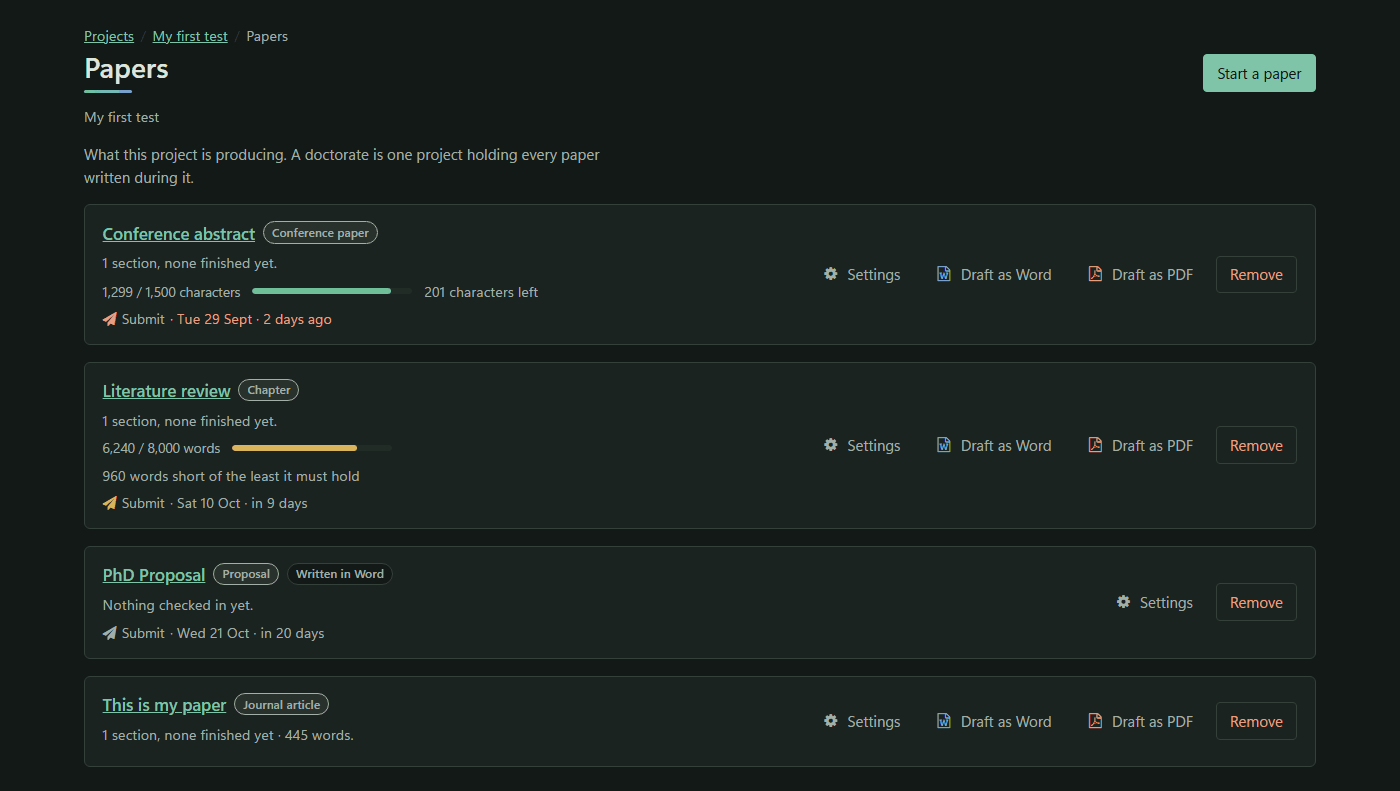
Each paper's row shows its progress (such as 3 sections, 1 finished), a length meter if it has a limit, its next deadline and its summary. The row has Download draft ▾, Settings and Remove.
The paper page
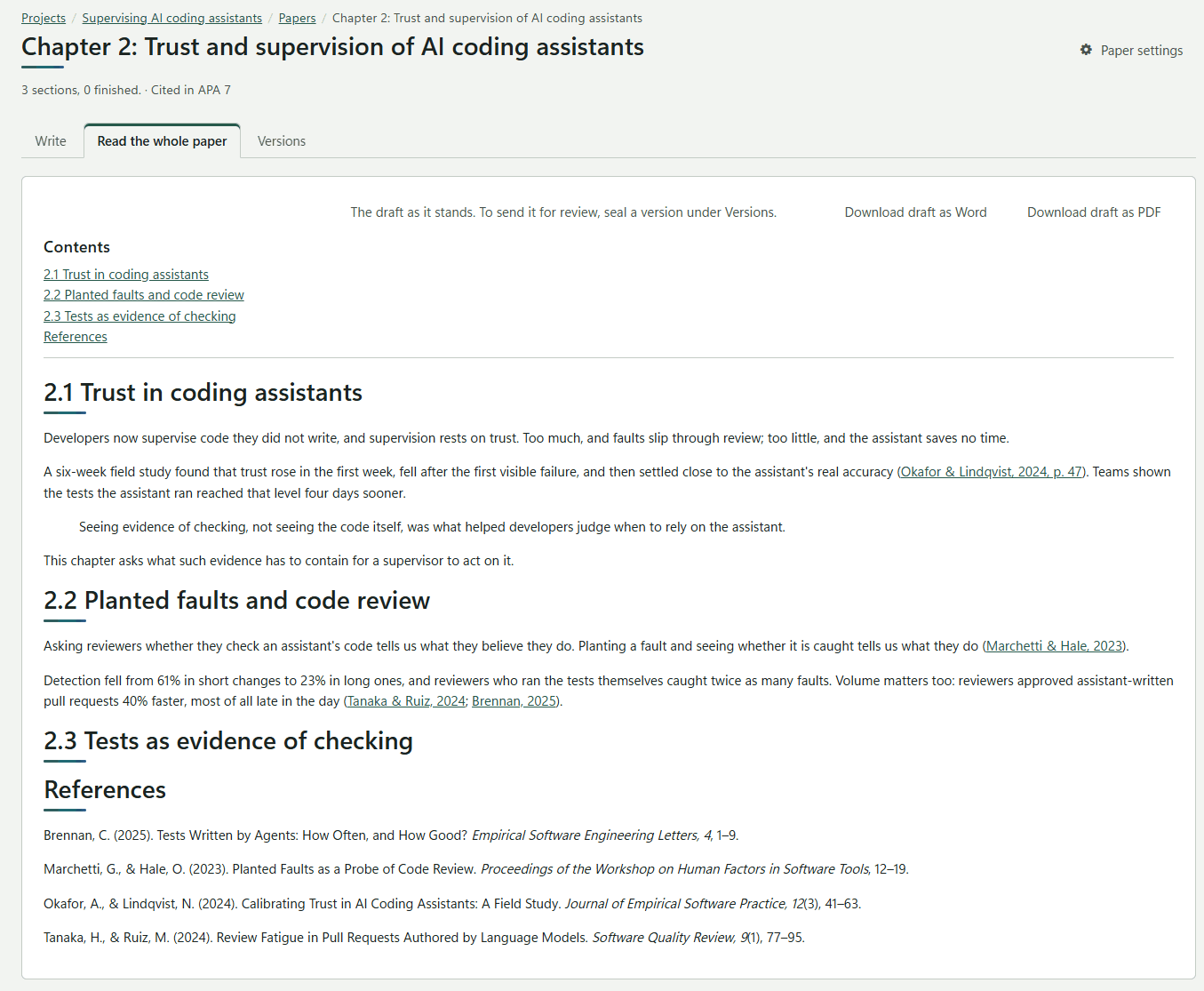
The header shows the paper's progress, its citation style, its next deadline and, with a limit, its Length of the paper, for example 6,240 / 8,000 words and 1,760 left. Paper settings is at the top right.
A paper written here has three tabs: Write, Read the whole paper and Versions.
Writing, a section at a time
- Sections: press Add to add one, such as Introduction or 2.1 Coding. The arrows move a section up or down (↑ ↓) and make it a level higher or deeper (← →), from level 1 to level 6. Each section shows its words, and Ready when finished.
- The editor is a Markdown editor. It draws diagrams written in Mermaid. Paste or upload pictures (PNG, JPEG, GIF or WebP, up to 8 MB).
- Saving is automatic, three seconds after you stop typing, and whenever you change section or leave the page. The state shows Saving…, Saved 14:32 or Not saved yet.
- Mark as finished marks a section ready. Changing a word in it takes the mark away by itself.
- Cite opens the citation picker. See Citations.
Reading the whole paper
Read the whole paper shows the draft as it stands: a Contents list, any open review comments, the text, and the reference list at the end, written in the paper's style.
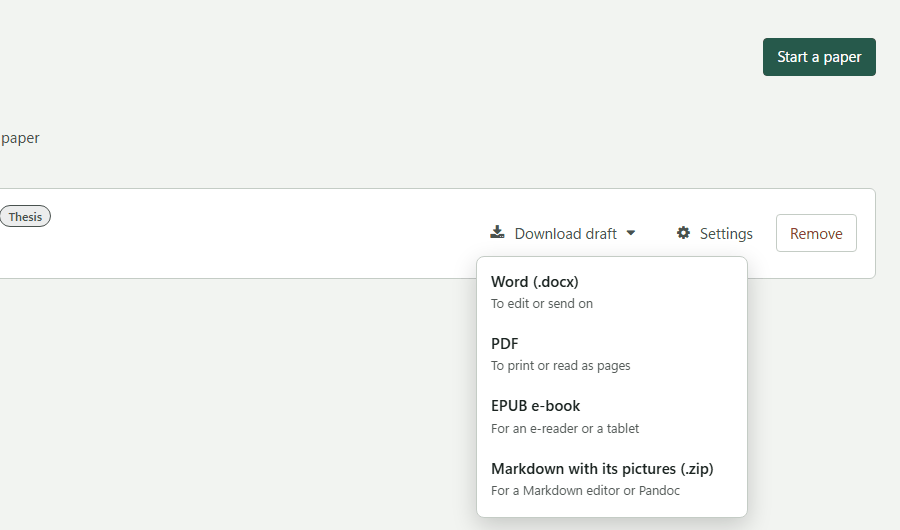
Download draft ▾ writes it out, as on the paper's row:
| Choice | What you get |
|---|---|
| Word (.docx) | To edit or send on |
| To print or read as pages | |
| EPUB e-book | For an e-reader or a tablet: a chapter per top-level heading, with a table of contents |
| Markdown with its pictures (.zip) | For a Markdown editor or Pandoc |
Each has the citations written out in the paper's style and the reference list at the end. A draft is marked inside the file as Draft of 3 October 2026, 14:32, not a sealed version. To send a paper out, seal a version instead.